Performance Metrics
Note
Check out the Performance Metrics Sample Project for a working demo of performance metrics functionality.
Some OpenXR runtimes implement extensions allowing users to query device and application performance metrics. Currently, this is supported on Meta and Android XR devices.
Project Settings
To enable vendor performance metrics, the feature must be enabled in your project settings. The extension setting can be found in Project Settings under the OpenXR section, the Vendor Performance Metrics setting should be listed under Extensions. Advanced Settings must be enabled for the setting to be visible.
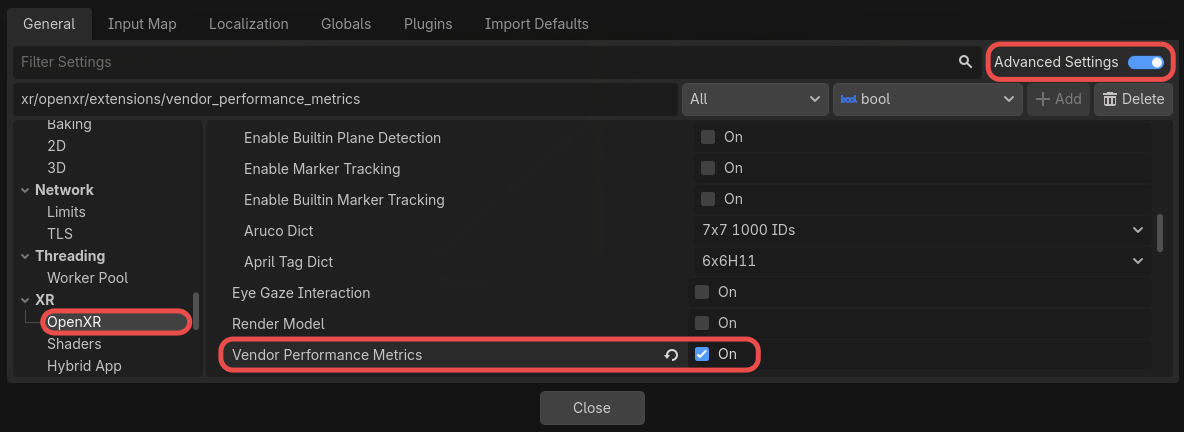
In the same Extensions section, under Vendor Performance Metrics, there is a Capture on Startup setting. This is enabled by default, and will make the runtime automatically capture performance metrics on startup when the extension is enabled. Capturing may be enabled or disabled by updating the capture_performance_metrics property.
Debug Monitors
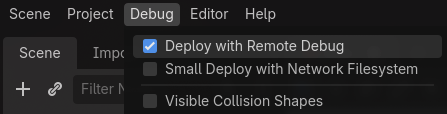
When enabled, vendor performance metrics are visible in Godot's debug monitor display. This requires Deploy with Remote Debug to be enabled under the Debug menu.
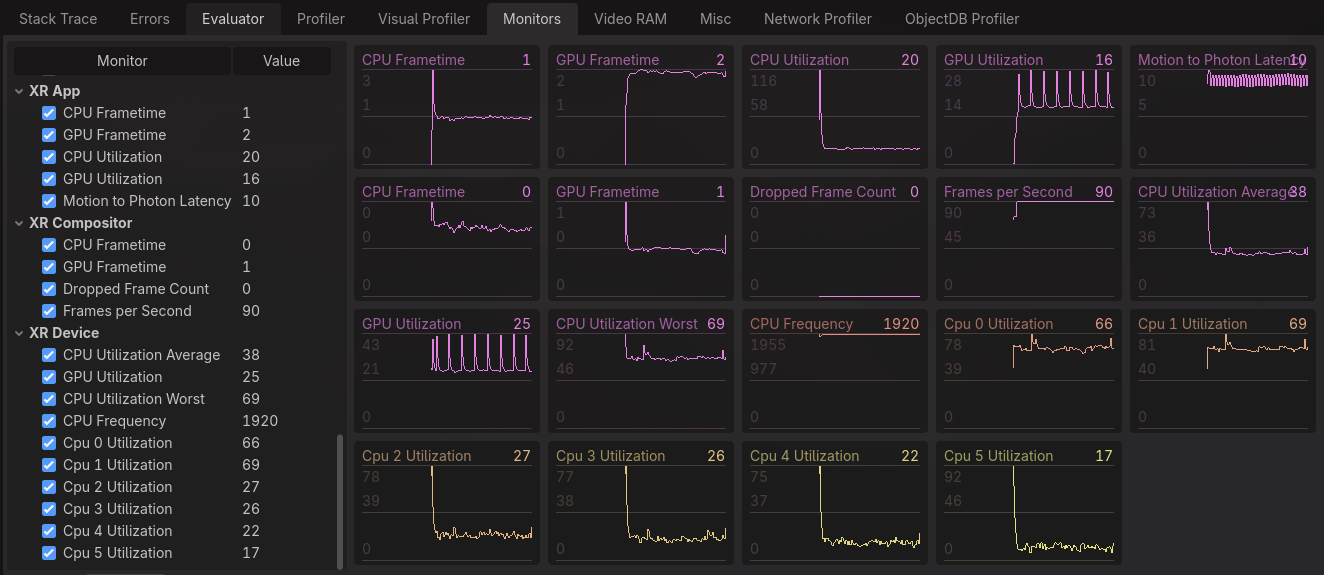
Upon deploying to your XR device, the extra performance metrics will be available in the Debug panel under the Monitors tab.
Manually Querying Metrics
Performance metrics may also be queried manually. This is done by retrieving the available counter paths from the runtime, and then using the corresponding counter path to get a dictionary of metric info.
var counter_paths = OpenXRVendorPerformanceMetrics.get_performance_metrics_counter_paths()
for counter_path in counter_paths:
  var metric: Dictionary = OpenXRVendorPerformanceMetrics.query_performance_metrics_counter(counter_path)
The returned dictionary has the following keys:
counter_path, the counter path used to query this metric.counter_flags, flags indicating the valid value type of the metric.uint_value, the unsigned integer value of the metric, only available if PERFORMANCE_METRICS_COUNTER_FLAGS_UINT_VALUE_VALID_BIT is set incounter_flags.float_value, the float value of the metric, only available if PERFORMANCE_METRICS_COUNTER_FLAGS_FLOAT_VALUE_VALID_BIT is set incounter_flags.counter_unit, the unit type of the metric, which may be useful in formatting. See PerformanceMetricsCounterUnit for possible types.
Note
Look at the Performance Metrics Sample Project for more example code that manually queries performance metrics.