Player Body
Introduction
Player movement and world interaction is performed using an XRToolsPlayerBody node. This node is automatically added to the XROrigin3D whenever a movement provider node is added.
The player body works out of the box but can be further configured:
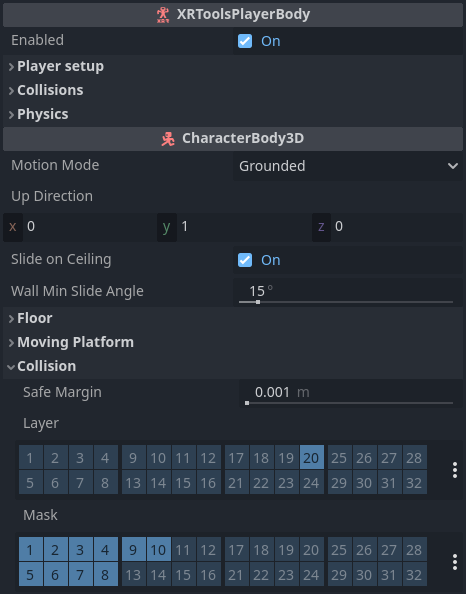
See Physics Layers for recommendations on how to configure physics layers for Godot XR Tools.
Configuration
XRToolsPlayerBody
| Property | Description |
|---|---|
| Enabled | Enables player body movement |
| Player Calibrate Height | Automatically calibrate the player height in the next frame |
| Player Radius | Radius of the player body capsule |
| Player Head Height | Height of the player body capsule above the eyes |
| Player Height Min | Minimum player height |
| Player Height Max | Maximum player height |
| Player Height Rate | Slew-rate for player height overriding (button-crouch) |
| Eye Forward Offset | How far the eyes are forwards from the center of the player body capsule (1.0 = full radius) |
| Body Forward Mix | Mix factor for body orientation |
| Push Rigid Bodies | If true, the player movement can push rigid bodies around |
| Push Strength Factor | Rigid Body push factor |
| Physics | Default player physics settings |
| Ground Control | Movement control options: on-ground, near-ground, or always |
| Collision Layer | Physics layers the body is located on |
| Collision Mask | Physics layers the body collides with |
Additional Resources
The following videos show the creation of a basic XR Player with hands and movement: